
Gallery Specifications
The following defines technical specifications for artist asset submissions and gallery space specifications. Contact us about any information not covered here.
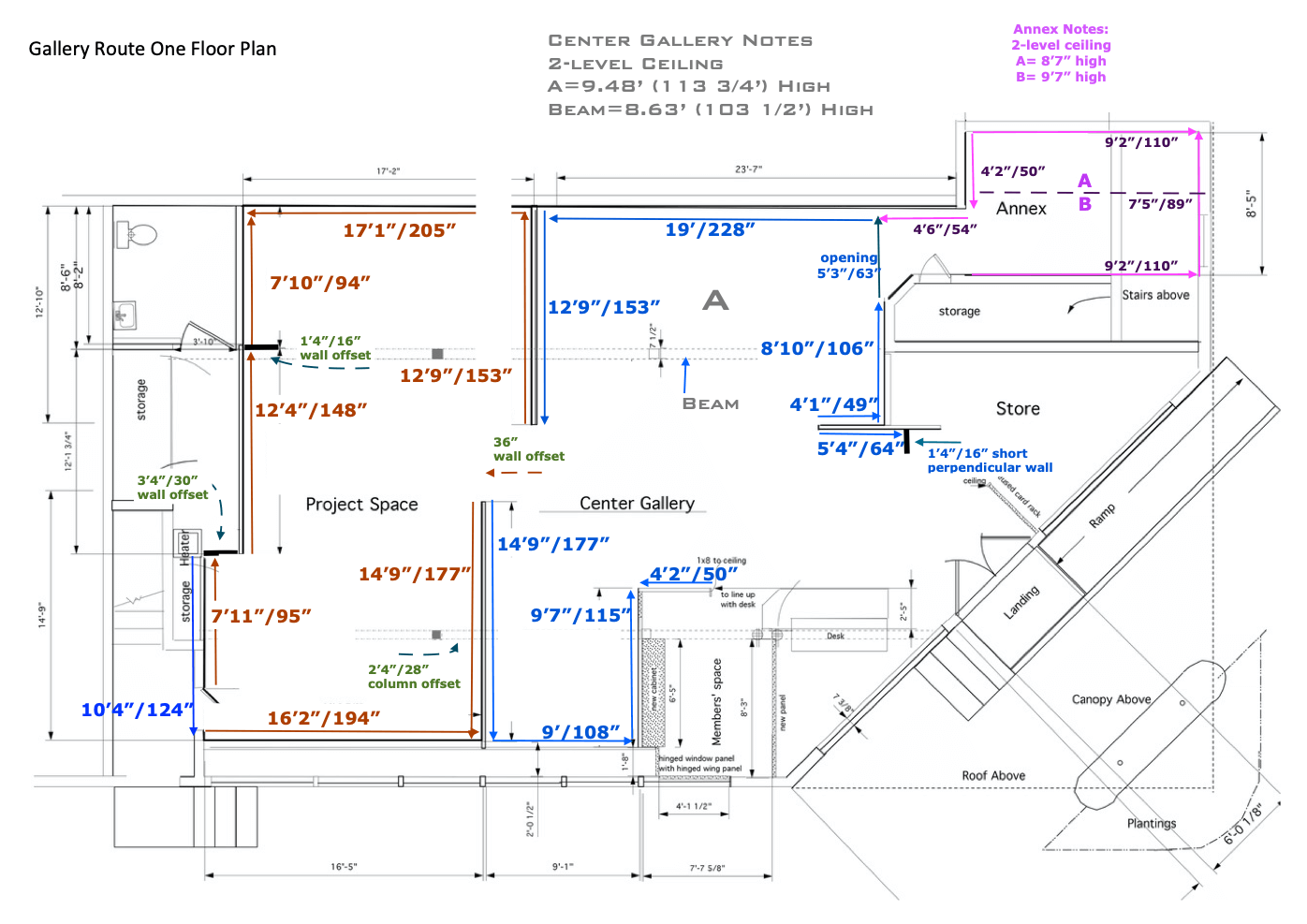
Gallery Floor Plan
- View GRO Floor Plan PDF
Note: Right-click / Ctrl-click / or Long-tap to download on your device.
Web & Print File Deliverables
- PIXELS: Web image files at 2000 pixels wide JPG/JPEGs or PNGs at 72dpi with full quality compression. Print files preferred at 2400 px x 3000 px (roughly 8in x 10in) at 300dpi.
- COVERAGE: A single image is usually adequate for 2D art; 2 or more maybe required for 3D sculpture. One or more close-up detail images are useful depending on the artwork.
- FILENAMES: Artwork image filenames should contain the following text and separated with hyphens: Artist Name – Artwork Title – Media – Dimensions.
Example of a jpeg filename for an image is: Jane Doe – Still Life – oil on canvas – 3ft x 2ft x 1in.jpg (size here is 3 feet wide x 2 feet high x 1 inch deep).
PLEASE NOTE the spaces in the example filename. There is no problem using spaces in filenames for our purposes and it greatly facilitates content entry for our staff since images are automatically titled properly on the website pages. - ZIP ARCHIVE: Multiple images and other files are best zipped into a single archive file before sending (see how). After archiving images, change the zip filename to your name before sending.
Example: Jane Doe – Juried Exhibition 2022.zip. - TRANSIT: Email is usually fine for sending files that are less than 10MB. Consider using a service like Dropbox, iCloud, Google Drive, or WeTransfer to deposit large files first then send the link via email. Apple Mail offers a feature called Mail Drop that allows users with an iCloud account to send large attachments.
Please coordinate with a gallery representative to determine the best route to transmitting files if you have questions.